I just post a quick news to tell you that World of Thieves is now visible on Indie DB and Steam Greenlight communities, and if you want to help, now is the time :)
Game Communities?
For those of you who don't know, these are the most active indie game communities on the net.
They are dedicated to expose the games of indie developers to players in order to build a community around each game. It enables players to give their opinion and propose improvements directly to the developer. This is incredibly valuable for me, as I already got a lot of feedback on what is good or bad about my game.
Vote for World of Thieves!
Steam Greenlight is also dedicated to submit game ideas/prototypes to players to see if they want it on Steam (the biggest online video game store...). If enough votes are reached, the game is distributed via Steam. So, if you want to see World of Thieves on Steam (even if it's only in a few months), don't hesitate to vote for it on this page. You'll need to have a Steam account to do so.
Oh, and by the way, you may have noticed, but I recently redesigned the website to get a nicer presentation.
[WARNING: This is a crazy technical article. Pursue only if you're mad]
As promised in my last post, here is a pretty technical article to show you the kind of problem I run into and to give you a hint on how I spend my days losing my hair. This one is a pretty complicated one and kept me occupied for the last 2 weeks, because it forced me to change a lot of things in the code of the game even if I though "no problem, I planned it well, everything's gonna be okay". How naïve...
The final goal is to have a continuous world without any loading time between zones.
Why an open world you may ask? Because, at the beginning, I set myself 3 major guidelines about my game:
- freedom
- humour
- oneiric world
And every choice I make at any step of the development follows these 3 "rules". This ensures me that the game, even if not perfect, will have some coherent content and some kind of art/feel direction. Thus... having an open world helps a lot for the freedom feel. Plus it's a crazy challenge, and I'm a crazy guy :).
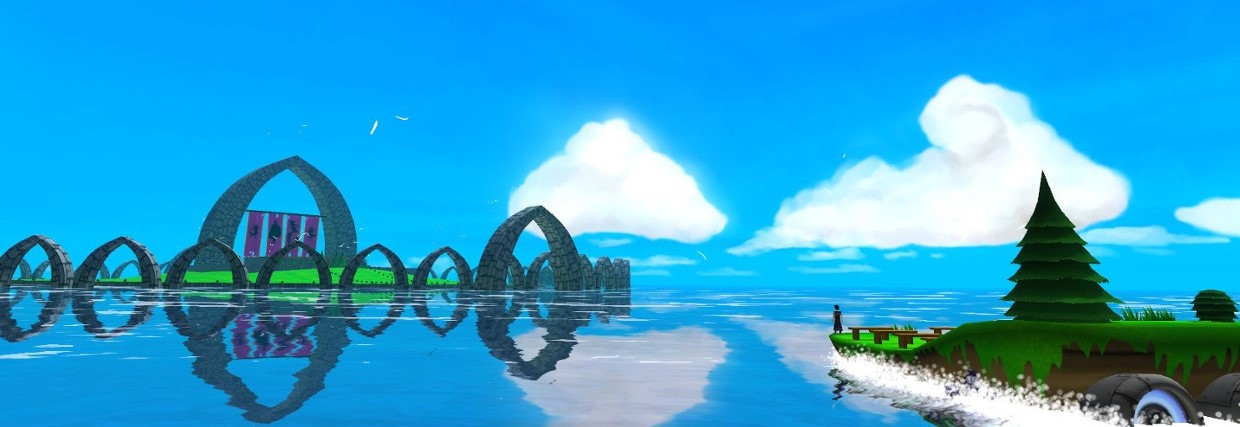
As you may have seen in the demos and videos, the world of my game is a big ocean with various islands on it (yes, just like Zelda Windwaker). At some point the player will have the ability to travel on the ocean (on a turtle's back ;) ) and can go pretty much everywhere he wants. This means islands/levels must be loaded dynamically according to the player's position/direction in the world.
I - Unity Limits (Yes I finally reached some)
I use Unity to create my game and (luckily?), Unity provides 2 functions to load a new level "in the background" so that you don't notice any lag:
LoadLevelAsync: loads a new level in background. Once loaded, the new level replaces the current one.
LoadLevelAdditiveAsync: Same thing, but adds the content of the new level to the current one. This is obviously what I'm going for here.
But this is theoretical only. Unity is a great software, but some points are still under heavy development. These ones are. And it impacts the game in a way I didn't think about: after using LoadLevelAdditiveAsync, all the IA agents of the new level crash.
This occurs because the IA uses a "NavMesh" (= Navigation Mesh) to represent the walkable areas in the level. The IA can only walk/move/search a path on the NavMesh. Problem is, Unity only authorizes 1 NavMesh to be loaded in memory at a time, and you can't load a NavMesh using LoadLevelAdditiveAsync. Technical limitation. I can't argue.
The NavMesh: enemies can only walk on the blue zone. The computation of this 3D NavMesh is a quite complex task...
II - Time for Hacks
I found a hack on a forum post : using LoadLevelAsync (which actually loads the new NavMesh in memory) and tagging all objects of the current level not to be destroyed (a cool feature I discovered while reading the forums. Great community by the way).
This is supposed to do the trick but it rises 2 more problems:
LoadLevelAsync is not actually a background task. It really freezes the game for a few ms, and it IS visible.
Cool, the NavMesh of the new level is OK, and the IA too, but what happens if I go back towards the 1st level (which is still visible but with no corresponding NavMesh and no IA)? If I wan't to reload only the NavMesh of the 1st level... I can't without reloading the whole level, which may result in objects flickering during the reload.
At this point, I'm faced with Unity bugs I can't fix and I'm left with a few options:
Wait for a bug fix from Unity about the NavMesh+LoadLevelAdditiveAsync problem. I don't think it will come before I release my game, the Unity guys have loads to do and this is not a priority.
Use a 3rd-party library. I must find one that does NavMesh generation and path-finding, is real-time, and dynamically loads levels.
Recode everything that is not working. Not impossible (I already coded a real-time A* path-finding algorithm for World of Ninjas, but it works only on a 2D grid)... but hardly realistic. Good guys spent months developping systems much more reliable than anything I could do in a few weeks.
Find another workaround. I didn't find any when I spent a few hours on forums and faqs.
Give up. This is a serious option. I can perform the navigation part on a 2D map where you click where you wan't to go. All islands would be accessible too, and it won't change the gameplay on each island. Maybe I'll even consider that if I achieve to create a "real" open world but it's not fun to explore.
But before giving up I heard a lot of good things about a 3rd-party library implementing the classical A* path-finding algorithm: Aron Granberg A* path-finding library.
Lots of levels loaded together!
III - A new lib: A*
Cool! A new library full of promises. But before commiting to this, I have to test that every basic IA feature already provided by Unity is implemented in this library.
I start with the free version of the library, which means... there is no NavMesh generation available (only on the full 100$ version). Of course, I can buy the full version, but I'm not sure this library solves my "dynamic loading" problem. I must first test it on this specific point.
I know that Unity can generate NavMeshes (I used them before). So I write a script to convert Unity NavMeshes to the library NavMesh format, which enables me to use the library path-finding on NavMeshes from my real levels.
But there is already a problem: the path-finding behaves weirdly and sometimes IA makes huge detours to get to some point. It seems to be a known issue... This is because of the NavMesh topology: a "good" NavMesh for the A* library is supposed to have some kind of grid pattern on it to avoid big triangles next to small triangles. Unluckily, NavMesh generation in Unity doesn't expose some "grid size" or "max edge length" parameters, which means I can't test that the path-finding behaves correctly with a "good" NavMesh.
IV - Another new lib : RAIN
I heard about another path-finding library: RAIN. Totally Free, but sparse documentation. I tested it mainly to assess its NavMesh generation algorithm and hurrah! It can generated "grid"-NavMeshes. So I write another script to convert RAIN NavMeshes to A* NavMeshes, with very few documentation... Tough time! And... I get a few errors during the convertion but the NavMesh seems to be generated anyway. I test it with the A* path-finding, and it seems OK! The IA behaves well.
Now, by combining 2 external libs, I have some basic IA behavior. I am at the same point that with Unity path-finding before.
I must now tackle the REAL problem: dynamic NavMesh/IA loading.
V - NavMesh dynamic loading
It seems the A* library provides a way to export a NavMesh in a text file to load it dynamically at run time. Exactly what I need (theorically ;) ). After a few tests, it seems to work at least for "little" files. But of course loading a new NavMesh gets rid of the previous one. I have to be cautious while activating/deactivating IA agents. But this means I need to write another script to convert the A* NavMesh in a text file during level generation.
The usual test level for enemy/IA behavior
VI - Integrating everything
OK. Every test I've made until now was of course on temporary/separate IA agents. I must know rewrite the code of the real enemy IA in my game to make them use the new A* library. And of course, I have a few problems because the library doesn't provide exactly the same callbacks/hooks for various states (path is computing, agent has arrived at destination, etc...). But finally, the IA works just like before, and I can dynamically load a new level with correct IA behaviour.
VII - Final surprise: progressive activation
But... for larger levels, the loading seems to lag. How it this possible? I made all this to finally realize that the Unity fonction LoadLevelAdditiveAsync lags? Did I do something wrong?
And indeed, after a few tests, it seems that the loading itself doesn't lag. It's the activation and start scripts of all the loaded objects (IA/vegetation/animals...) that occur on the same frame that makes the game lag!
So I have to disable all the loaded objects, and activate them one by one on each frame. But this leads to 30 seconds to load a 1800 element level. So I optimized this to load many objects on one frame if they are light (a simple crate), and only one if it's a complex one (enemies). I dropped down to 3 seconds to load the same 1800 elements.
VIII - Making it automatic
Cool! It works on a few levels that I placed "by hand" on the global world! But, in the end, I'll have many levels, some of which may change in location. I have to set up a pipeline to ensure that every step I manually made is correctly and systematically handled for every new level.
I set up a special "world" mesh file made in Blender to precisely locate every level in the world. Each individual level is stored in a separate Blender file and centered on a (0,0,0) position.
The simple world mesh locating all levels in Blender. The big and small spheres respectively represent the loading and activation zones.
When loading a level from Blender in Unity here's the (almost automatic) process:
Find the final level position in the "world" mesh
Move the whole level to the final world position (while converting coordinates conventions)
Convert every Blender object in a "smart"/"scripted" Unity object
Create the NavMesh using either the Unity or RAIN NavMesh generation
Convert the Unity/RAIN NavMesh to A* NavMesh
Plug the generated A* NavMesh into the A* path-finding Object
Convert the A* NavMesh to a text file
Deactive all objects in the scene so that they won't be activated simultaneously after a dynamic load
... And that's pretty much it... For the offline level edition part.
At run-time here's what happens:
If you enter a level zone, the level is dynamically loaded, but nothing is activated yet. Only basic (and huge) island meshes are visible
If you get closer, the text file NavMesh is loaded, object activation starts and within a few seconds the whole level comes to life.
When you leave the activation zone, all objects are deactived, but the NavMesh is still in memory (in case you want to come back ;) )
When you leave the level zone, the whole level is destroyed.
I had to carefully study the distance at which each loading/activation occurs. Because I don't want to start activating very far away levels, but I still want them to be visible at a fair distance. I must also care about the distance between the islands: if 2 or more activation zones overlap, many levels are loaded at the same time, and this may seriously slow down the game.
In brief... all this things are to be tuned and balanced.
Sooooo.... This was a huge journey through incredibly complex features, but I now have an open world running at 50 fps in average and at least at 20 fps during loading. Now, you know why the game hardly changes between 2 releases ;)
For the brave guys who read until here, here's a video of the dynamic loading of the levels. I use a super-graple enabling me to move from one island to the other, even if the aiming is sometimes a bit difficult... And you may notice the distance between islands is perhaps a bit long.
To avoid seeing islands popping from nowhere when the player enters a loading zone, I added fog (classical trick in video games).
IX - Even more problems
For the sake of clarity I didn't talk about every problem I had, but for the guys who would like to set up a similar structure, you have to know:
The A* lib has some cache information about the NavMesh, and it's sometimes necessary to "rebake"/"rescan" the NavMesh after loading it. But this is absolutely not real-time friendly. I have to make additionnal tests, but it seems to be necessary only when playing in the editor when you modify a preexisting NavMesh. In the release, this may not be necessary.
LoadLevelAdditiveAsync is absolutely not async in the editor. It freezes the game. You have to make a release exe to truly test real-time loading.
Loading lots of level simultaneously totally messed up with all the
automatic triggers I used to launch dialogs/cinematics or whatever. I had
to fix all those things happening at the same time while I was still
far away from the actual islands.
Because I now dynamically load levels, I also must dynamically save all the local modifications of the player: if he takes a pickable item, unlocks a door or a chest, I must keep track of it even if the level is unloaded before he gets to a save point.
A few objects don't support activation/deactivation at all: clothes. This breaks the physics simulation in the best case, crashes in the worst. I had to find a workaround consisting in only disabling the cloth component instead of the full object... which makes my code look like crap.
I used clothes simulation to add huge flags above the Thief Guild (the only graphical change for 2 weeks...)
That's all for the crazy stuff. See you next time! Peace!
It's been a while! Don't worry, I still work on World of Thieves... Lately, I've been trying to add continuous background loading of the levels. This means I should be able to create a small "open world" within the game. But more on that later!
This quick post is just to share a little interview with you. I recently came across the dev blog of Genesia, an excellent old strategy game we played a lot with my brother when we were kids. The developper is trying to create a remake on new platforms (Android, IOS...). I contacted him as a huge fan and as an indie colleague to ask him a few questions about his work. The guy was very cool and took the time to explain me a lot of things. It was very nice and motivating to speak with him!
It's a bit difficult to keep the motivation this week, so here's another little comic about how I spend my days. It's not that obvious to track bugs...
An old little comic I made when I started to create my game... I originally wanted to create a few strips like this one to share what I do in another way than technical articles. Maybe I'll do more of these in the future.
Maybe some of you already saw this on my deviant art profile or my art blog...
And here is the last demo of World of Thieves, a 3D adventure/stealth game between "Zelda" and "Beyond Good and Evil". After all the amazing feedbacks I got, I thought it would be cool to fix
all the biggest (and really annoying) bugs of the last demo. Don't hesitate to test/share/reblog/comment/like if you want to help me!
Survey: Don't forget to complete the online survey after playing the game! Bug hunt: As usual, contact me for bugs or any feedback. Get all the news:if you don't want to miss anything, subscribe!
Install Notes
Linux
Under Linux, you have to change the execution rights on the game file: chmod +x worldOfThieves.x86
If you use this 32-bit version of the game on a 64-bit operating system, you may also have to install 32-bit libraries. I was successful with the following commands: On Ubuntu: sudo apt-get install ia-libs On Fedora: yum install libstdc++.x86
... which doesn't seem to be the exact same thing. But it did the trick for me.
By the way, I noticed the game is really slow on my Linux systems. It was only playable with the lowest quality settings possible. Maybe this is due to my graphic drivers, but I'll have to test further. It even crashed at the beginning of the pirate warehouse level. Don't hesitate to tell me if you experiment such problems.
Mac OS
Haha... I didn't test on Mac, because I don't have a Mac. But the beauty of Unity is that I can release on Mac from a Windows system anyway.
So, if Mac users out there want to give it a try and tell me what's wrong (or what's right, hopefully ;) ), you're most welcome!
What's new?
QWERTY and AZERTY compatible controls by default
save bug fixed
more save points
inventory interface actually showing and describing the objects
real 2D map system accessible with TAB
(hopefully) better missions/tutorials timeline
presentation screen when new weapon is received
music (test ;) ) during the introduction cutscene
sound and music fading during load screens
chest opening animation
waterfall shader
both clicks available in the weapon selection menu
various HUD/GUI fixes
Linux and Mac versions
Controls
ZQSD or WASD: move the character. It's both AZERTY and QWERTY compatible
I will just write a quick article on this week's work: creating the appearance of waterfalls and water/lakes which are not the main sea.
The final look of waterfalls.
Indeed, I want a world with various (floating) islands and some waterfalls. Maybe you noticed it, but there is already water in the video game. I previously worked on the main sea of the world, and it wasn't that easy to set up a look that I found OK. I finally chose to have a purely reflective water. The big problem is that displaying the main sea is quite computationally expensive.
If I want to add other water planes (for example a lake on an island) or waterfalls, I can't use the exact same approach because it will seriously slow down the game. Plus, for a simple plane, computing the reflection is "quite" straight-forward, but for complex shapes (a waterfall), the computations are more difficult and the graphical pipeline of the GPU is not well suited for such a task. So I have to use a work around if I don't want to spend days developing an incredibly complex material that nobody will notice anyway.
I finally choose a combination of various classical techniques used in video game/real-time applications...
I - Environment(cube) map
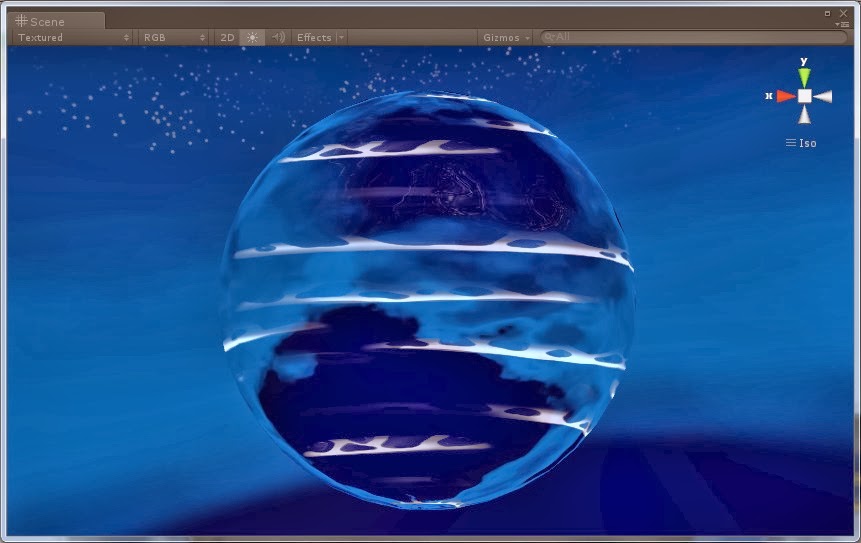
An environment map is some kind of "spherical" texture (actually it's computed from the faces of a cube) that is applied on a mesh according to its normals. The idea is to "fake" the reflection of the environment on the object.
The environment map fakes a perfect reflection of the environment. This works well with a sphere, but it's less convincing with other mesh primitives.
Technically, it is possible to compute such a normal map in real-time to obtain a "true" reflection of the environment. However, as usual, this is quite GPU-heavy (you have to make 6 renders of the scene to create the real-time reflection texture). Furthermore, even with real-time computed reflections, the mapping itselft is still a fake one, which won't fool the careful viewer's eye.
Thus, I choose to use a pre-computed environment map: I simply use the cube map of the sky (see this post for more details).
II - Moving normal maps to create waves
Then, to break the perfect flatness of the water, I add 2 normal maps that moves at 2 different speeds. It creates a nice effect of moving waves. By the way, it's the same trick that is used to create the waves on the main sea material.
The environment map with normal maps to simulate waves
III - Moving foam texture
This one is a simple classical moving texture added on top of the moving waves. To keep consistency with the rendering of the main sea, I use pure white for the foam, and I play with the alpha channel to modulate the visual impact.
The white foam above the water.
IV - Distortion of the foam texture
Because I want the foam not to be straight on this moving water, I add distortion to it by altering the texture coordinates with a noise texture (actually, this is the wave normal map with a different scale and speed).
Foam with distortion!
V - Day time aware material
The final step is to make the material reacting to the day time. Indeed, the sky/environment is evolving (there is a day/night cycle in the game) and I can't have a night reflection in full day, this totally breaks the visual integrity of the scene. So I need to carefully blend the day and night environment map of the sky according to the virtual time of the game.
Day reflection
Noon reflection
VI - Tweaking and particles
The final difficulty is adjusting all the material parameters of this "fake" water, to match most closely the main sea water. Because the algorithms behind the rendering of these 2 water styles are different, it's strictly impossible, but I have to minimize the visual gap.
The main sea water material with real reflections.
The lake water material with fake reflections.
As you can see on the above screenshots, for lake and other "sleeping" water planes, the differences with the main sea water can be obvious according to the camera viewing direction. But for the moment, I can't do better.
Maybe, later, I'll modify the main water rendering shader to make it structurally closer to the fake water one, so that it can be easier to have a similar look (without losing real reflection on the main water of course). Or maybe I'll find anoter way to have real-time reflections on lakes too without hurting too much the GPU (I already tried... but failed... for now).
For waterfalls however, this fake water is quite OK, I guess because all waterfalls have the same material. By the way, I must add particles to create the splashing waters.
A waterfall with splashing water particles.
So, that's all for today! I hope this detailed water material post was interesting for you...
And, I didn't talk about it in this post, but I made a loooot of bug fixes thanks to all of you guys who tested the last demo. Thanks for your amazing feedback! I plan to release a new demo with lots of major fixes at the end of the week, so that new testers can find new bugs ;)